10 Tips to Spot AI Art Quickly and Easily
You can spot AI art quickly by watching for unnatural repeating patterns, broken or jagged lines, and inconsistent lighting or shadows. These little details can really stand out once you know what to look for.
Pay close attention to anatomy—extra fingers, perfect symmetry in eyes, or blurry joins can give it away. It’s like the AI tries to get it right but sometimes slips up in these areas.
Text often looks misspelled or scrambled, and objects might float or misalign with backgrounds. Skin and hair may appear overly smooth or weirdly blended.
If you want to sharpen your eye further, there are plenty more subtle cues to uncover. With a bit of practice, spotting AI art will become second nature!
Key Takeaways
– Look for repetitive patterns or textures like identical leaves or fur patches that indicate AI-generated images.
You might notice the same pattern popping up over and over, which is a big clue.
– Spot unnatural blending or duplicated body parts caused by poor integration between subjects and backgrounds.
Sometimes AI struggles to merge elements smoothly, so watch out for that odd overlap.
– Detect broken, jagged, or incoherent lines, especially near facial features and complex areas.
These lines can give away that the image wasn’t created by a human hand.
– Check for inconsistent or unrealistic lighting, shadows, and reflections that don’t match the environment.
If the light sources seem off or shadows don’t line up, that’s a red flag.
– Examine hands and faces for extra or missing fingers, perfect symmetry, and overly smooth skin textures.
AI often messes up detailed features, so fingers and faces are great places to look for errors.
Examine Hand and Finger Details
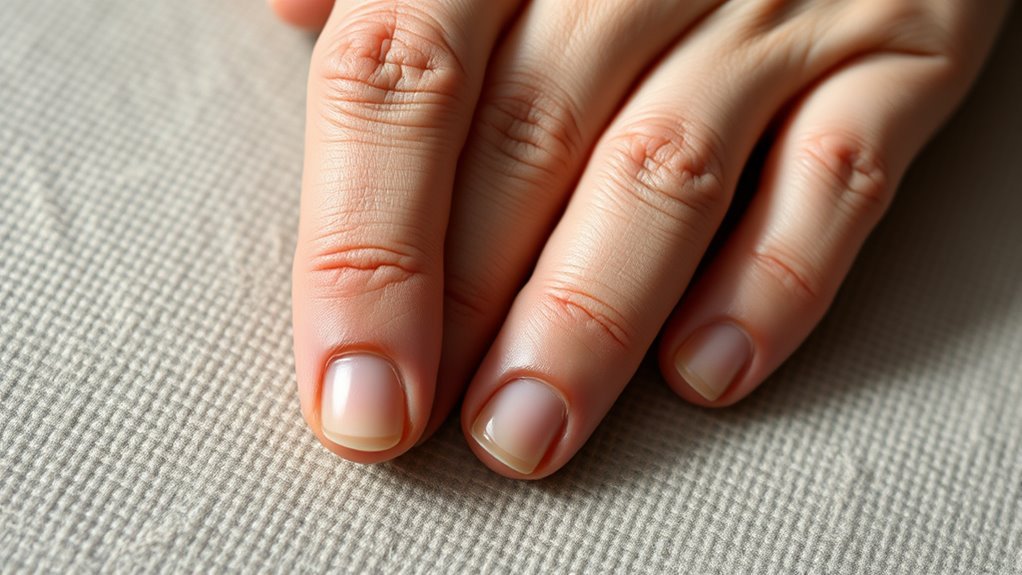
When you examine hand and finger details closely, you’ll often spot telltale signs of AI art, like extra or missing fingers and joints that don’t align naturally. AI-generated hands might have fingers that blend together or float without proper connection, which looks odd compared to real hands.
You’ll also notice unnatural finger shapes or overly smooth, rubbery skin lacking textures like wrinkles or nails. Pay attention to symmetry—perfectly aligned fingers are rare in real life but common in AI images.
Watch out for hands posed unnaturally or in ways that defy anatomy. By focusing on these subtle but clear inconsistencies in hands and fingers, you can quickly detect AI art without needing advanced tools or expertise.
Look for Text and Lettering Anomalies
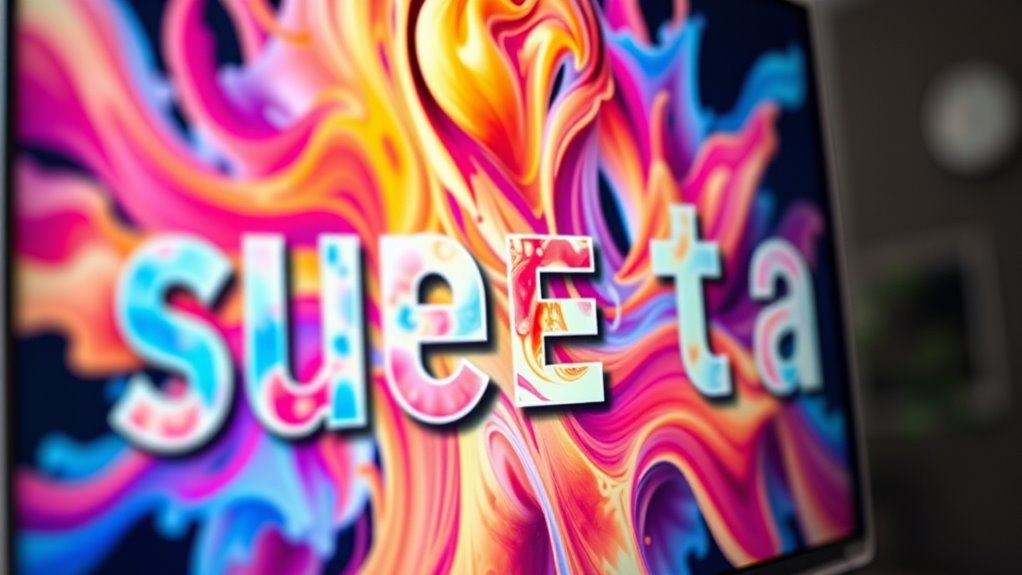
Besides oddities in hands and fingers, text and lettering often reveal AI-generated images. You’ll notice text anomalies like misspelled words, jumbled letters, or distorted characters that don’t make sense.
Lettering issues such as inconsistent spacing, uneven alignment, or scrambled fonts are common signs AI struggled to replicate natural handwriting or printed fonts. Watermarks and branding might look fake or poorly placed, breaking the image’s flow.
Text placement can seem awkward—floating or disconnected from objects—further signaling artificial creation. When you spot these irregularities, it’s a strong hint the artwork isn’t human-made.
Paying attention to these text anomalies and lettering issues helps you quickly identify AI-generated art with confidence.
Analyze Skin and Hair Textures
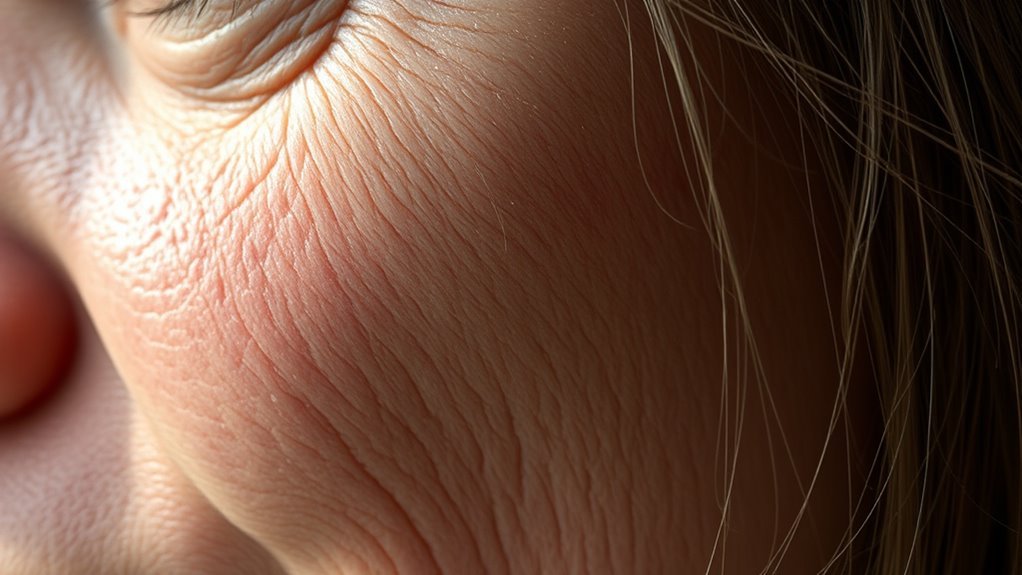
Pay close attention to skin and hair textures—they often reveal AI tricks. You’ll notice overly smooth or uniform skin without natural pores, and hair strands that look oddly placed or too consistent in color.
These subtle flaws can quickly give away AI-generated art. Keep an eye out for those small details; they’re usually the biggest giveaways!
Texture Uniformity Issues
Although AI-generated images can look impressive at first glance, you’ll often notice skin and hair textures that feel too smooth or plasticky, missing the fine details like pores or individual strands. One key giveaway is the unnatural uniformity in texture across the skin or hair.
Real skin shows subtle variations in tone and texture, while AI art often presents an overly consistent, almost clone-like surface. Hair may look strangely uniform, with sections that don’t flow naturally or have inconsistent lighting.
When you spot repetitive patterns or a lack of natural grain—especially in surfaces like skin or hair—it’s a strong hint the image was AI-generated. Paying close attention to these texture uniformity issues helps you quickly identify AI art.
Unrealistic Skin Details
When you examine AI-generated images closely, you’ll notice the skin often looks unnaturally smooth or plasticky, missing the tiny pores and imperfections that real skin has. This unrealistic skin texture lacks the natural variation you’d expect, often showing flat areas or repeating patterns that feel artificial.
Shadows and highlights on the skin may appear overly uniform or inconsistent with the scene’s light source, making the face look less believable.
Additionally, skin sometimes blends too seamlessly with clothing or surrounding surfaces, creating a plastic-like effect rather than distinct textures.
Hair Strand Anomalies
If you look closely at AI-generated hair, you’ll often spot unnatural clumps and inconsistent strands that don’t flow or separate like real hair. In AI image art, hair can appear overly smooth, lacking distinct strands or showing strange blending.
Sometimes, strands seem warped or disconnected from the scalp, creating a floating effect. You might also notice inconsistent shading or highlights that don’t match natural light patterns.
These irregularities are giveaways of AI art.
Watch for these signs in hair textures:
- Hair abruptly changes direction or has mismatched textures.
- Highlights and shadows don’t follow natural lighting.
- Strands appear disconnected or oddly warped from the scalp.
Spotting these anomalies helps you quickly identify AI-generated images.
Focus on Eye Shape and Expression
Pay close attention to the eyes—they often reveal AI art through odd symmetry or mismatched shapes. Notice if the pupils or irises look warped, overly smooth, or unnaturally perfect.
Also, watch for expressions that feel stiff or emotionless. AI struggles to create genuine eye expressions, so those can be a dead giveaway.
Eye Symmetry Issues
Although human eyes naturally show slight differences, AI-generated images often display unnaturally perfect symmetry between both eyes. This unnatural eye symmetry can make the face look less realistic and more artificial.
When you look closely, the eyes may be unnaturally symmetrical in size, shape, and even expression. You might also notice odd distortions where one eye looks warped or squiggly while the other remains normal.
To spot these issues, watch for perfectly mirrored eye shapes and expressions that rarely happen in real faces. Also, keep an eye out for mismatched eyelid curves or unnatural spacing between eyelids.
Sometimes, one eye might appear distorted or oddly shaped compared to the other. These subtle but telling details can help you quickly identify AI-generated art.
Pupil and Iris Errors
Beyond the overall symmetry of the eyes, you should examine the pupils and irises closely to spot AI art. AI-generated images often produce pupils that look squiggly, misshapen, or asymmetrical—something rarely seen in real eyes.
Check for mismatched eye shapes and sizes that don’t align with natural anatomy. Sometimes, the pupils lack depth or have strange reflections, making the eyes appear overly blank or artificial.
You might also notice misplaced eyelids or inconsistent eyelid shading around the eyes, which suggests AI manipulation. Additionally, if you spot repeated or duplicated eyes with unnatural shapes, it’s a clear sign the artwork was generated by AI rather than a human artist.
Paying attention to these pupil and iris errors will help you quickly identify AI-created images. It’s a handy trick to keep in mind when you want to know if what you’re looking at is real or computer-made.
Expression Lacks Naturalness
When you look closely at AI-generated faces, you’ll notice their eyes often appear too symmetrical and lack the subtle expressions that make human faces feel alive. This unnatural expression makes the artwork seem flat and robotic.
The eyes may have inconsistent shapes, warped pupils, or eyelids that don’t align properly, breaking the natural flow of a genuine gaze. Plus, AI art misses delicate details like crow’s feet or eyelid creases, which strips away emotional depth.
Watch for these signs in the eyes and expression:
- Stiff or exaggerated smiles and frowns that feel forced
- Lack of subtle wrinkles and natural eye creases
- Symmetrical, emotionless eyes without nuanced expression
Spotting these will help you quickly identify AI art’s unnatural expression.
Detect Repeating Patterns and Textures
A key way to spot AI art quickly is by looking for repeating patterns and textures. AI often struggles to create natural randomness, so you’ll notice clone-like textures or symmetrical repetitions, especially in backgrounds and surfaces.
If you see overly consistent or perfectly aligned grids and tiles, such as in patterned objects, that’s a strong indicator of AI origin. Pay attention to textures that should vary, like skin pores or fabric weaves—uniformity here usually means AI-generated images.
Close-up details can reveal identical leaves or repetitive fur patches that don’t appear naturally. By focusing on these repeating patterns and textures, you’ll quickly identify AI art without needing deep technical knowledge or tools.
Identify Subject Blending Issues
Repeating patterns and textures often highlight AI art, but another giveaway lies in how subjects blend—or fail to blend—within the image. You should watch for blending issues where multiple subjects merge unnaturally, creating ghosting effects or overlaps that don’t make sense.
These unnatural overlaps can make parts of the image appear smudged or fuzzy, especially where subjects meet backgrounds or other objects without clear edges. Also, inconsistent lighting and shadows often betray AI-generated images.
Look out for:
- Subjects merging with backgrounds or other objects without defined boundaries
- Duplicated or oddly symmetrical body parts caused by improper blending
- Inconsistent lighting and shadows that don’t align between subjects and surroundings
Spotting these blending issues helps you quickly identify AI art. It’s a handy tip once you start noticing it!
Check for Broken or Incoherent Lines
Pay close attention to jagged edges and unnatural line connections that don’t flow smoothly. When lines break or shift oddly, it’s a strong sign the image might be AI-generated.
Inconsistent stroke flow and mismatched thickness can also give the artwork away. So, keep an eye out for those subtle clues!
Jagged Edges Detection
Jagged edges often reveal AI-generated art, as AI struggles to create smooth, consistent lines. When examining an image, pay close attention to broken or uneven lines since these jagged edges often indicate AI-generated images.
You might notice abrupt gaps, overlaps, or inconsistent line thickness that don’t align naturally. AI tends to produce these flaws because it can’t perfectly mimic human lineart precision.
Watch for:
- Gaps or sudden breaks in lines that disrupt the flow of the image
- Uneven line thickness that varies inconsistently across the artwork
- Blurred or faded edges around complex shapes showing lineart errors
Unnatural Line Connections
Lines that seem broken or don’t connect naturally often signal AI-generated art. When examining AI generated images, pay close attention to line connections. You’ll often spot broken or jagged lines where smooth, continuous outlines should be.
Notice if lines abruptly fade, disconnect without reason, or have inconsistent thickness. Around complex areas like hair, clothing, or facial features, look for overlapping or misaligned lineart.
These incoherent line connections can make objects appear blurry, floating, or oddly detached from the scene. Detailed areas—especially near the eyes or mouth—may lack proper linework or look unnaturally rough.
Inconsistent Stroke Flow
Although AI art can mimic many styles, you’ll often notice inconsistent stroke flow that disrupts the natural rhythm of the image. When examining AI art, pay close attention to lines that seem jagged, broken, or oddly disconnected.
These strokes can feel unnatural because they lack smooth continuity, making the artwork appear less fluid.
Here’s what to look for:
- Broken or incomplete outlines where lines abruptly stop or don’t connect logically
- Unnatural variations in stroke thickness, with some lines too sharp or too soft without explanation
- Areas where line details are inconsistent, such as sharp edges beside fuzzy or blurry ones
Spotting these issues in stroke flow can quickly help you distinguish AI art from human-made pieces. It’s a handy trick once you get the hang of it!
Observe Lighting, Reflections, and Shadows
How can you tell if an image’s lighting feels off? Check for inconsistent lighting where shadows and reflections don’t align with a single light source.
Reflections might seem unnaturally bright or too perfect, signaling AI generation. Shadows may be misplaced, overly uniform, or point in conflicting directions. Look for variations in brightness that don’t make sense in the scene.
| Element | What to Look For | Why It Matters |
|---|---|---|
| Reflections | Overly bright or perfect glare | Indicates artificial creation |
| Shadows | Misplaced or uniform direction | Reveals inconsistent lighting |
| Brightness | Uneven across the image | Shows multiple or no light source |
| Shadow edges | Too sharp or too soft | Suggests lack of natural light |
| Reflection size | Mismatched with objects | Breaks realism |
Spotting these clues helps you quickly identify AI art. It’s a handy way to see if something’s been digitally created or altered.
Verify Proportions and Perspective Accuracy
After checking lighting and shadows, turn your attention to the proportions and perspective within the image. AI-generated art often struggles with natural anatomy and spatial consistency. You should look closely to spot these telltale signs.
Verify if the proportions of limbs and facial features align with typical human or animal anatomy. Also, check for perspective errors like distorted objects or mismatched size relationships that break logical depth cues.
Make sure background elements and the main subject share a coherent vanishing point and consistent alignment. If you notice anything off with the proportions or perspective—like unnatural distortions or skewed objects—it’s a strong clue the image might be AI-generated.
Staying alert to these details helps you quickly identify AI art. It really makes the difference when you want to tell if something’s been made by a machine or a human.
Spot Objects or Elements That Are Out of Place
When you examine an image closely, you’ll often find objects that don’t belong or seem oddly placed. Look for inconsistent object sizes and irregular placement, like a pen inside a coffee cup or a car floating in mid-air.
AI-generated art frequently has duplicated or mirrored details, such as identical trees in different spots. Shadows and lighting may also mismatch, revealing artificial composition.
| What to Look For | Example |
|---|---|
| Inconsistent object sizes | Tiny chair next to a large table |
| Irregular placement | Floating car, unsupported chair |
| Duplicated elements | Identical trees in background |
| Mismatched lighting/shadows | Shadow opposite light source |
Spotting these oddities helps you quickly identify AI art. It’s like training your eye to catch the little things that feel off. Once you notice them, it’s hard to unsee!
Frequently Asked Questions
How to Spot Ai-Generated Artwork?
You can spot AI-generated artwork by checking for odd hand details, inconsistent lighting, and unnatural facial features. Repetitive textures and strange artifacts are also good clues.
Try zooming in to catch blending errors or missing details. These often reveal its artificial origin.
What Is the 70/30 Rule in Art?
You might think the 70/30 rule restricts creativity, but it actually guides you to balance detail—70% realistic and 30% simplified. This helps your artwork focus and flow naturally without overwhelming viewers or losing artistic freedom.
It’s like giving your piece a rhythm that feels just right. So, instead of feeling boxed in, you get a helpful framework to make your art pop!
How to Spot Fake AI Images?
You can spot fake AI images by checking hands for extra or missing fingers, spotting unnatural shading, noticing overly smooth textures.
Also, take a close look at warped facial features. They often give away that something’s off.
Don’t forget to check the background too. Inconsistent backgrounds or distorted objects that defy perspective rules are big red flags.
How to Easily Spot AI Writing?
You can spot AI writing by noticing awkward phrasing, repetitive patterns, or sudden topic changes.
Watch for inconsistent grammar, strange word choices, and missing punctuation.
These clues usually reveal automated, less natural text creation.
Conclusion
When you scan an image, imagine peeling back layers to reveal subtle cracks—like fingers with too many joints or eyes that don’t quite sparkle naturally. Let your eyes dance over shadows that refuse to settle or letters that blur into nonsense.
These small, almost invisible clues are your secret map, guiding you quickly through the digital fog. With practice, you’ll spot AI art in a flash, turning every image into a puzzle you’re enthusiastic to solve.
Remember, spotting AI art quickly and easily comes down to noticing those tiny imperfections. Whether it’s unnatural anatomy, weird shadows, or gibberish text, these are the giveaways. Once you get the hang of these tips, identifying AI-generated images becomes second nature—helping you stay sharp and informed in a world full of digital creativity.